Unreal Engine & Houdini
Nanite Foliage & USD Workflow
The Goal
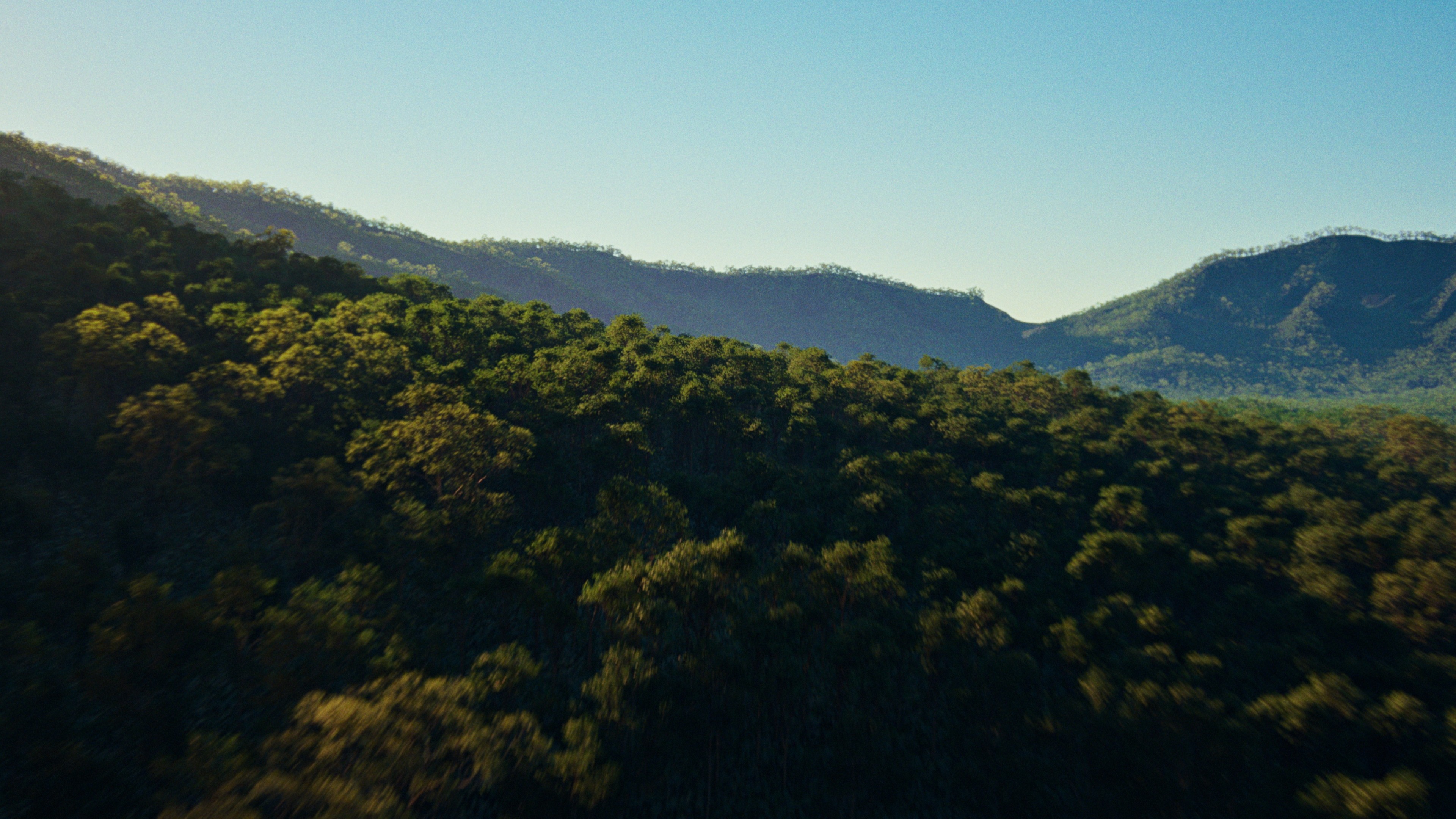
Build a simple aerial shot featuring a dense jungle in Unreal to both stress test Nanite Foliage and demo current USD import functionality in Unreal (and how that can be paired with Houdini-based scattering workflows).
The final shot above has ~200k instanced full-geometry trees, 500k plants on the ground, and just over a trillion tris.
TLDR;
As of 5.7.0, Importing Nanite Assemblies to Unreal via USD from Houdini currently works, but with full production geo and large instancing counts for branches & leaves (50k+), the system breaks
Voxelized Nanite Foliage, even without the Nanite Assemblies, is still incredibly powerful. I threw the assemblies out the window and built this shot without trees built from branch/leaf instances. Everything still worked and the FPS was impressive.
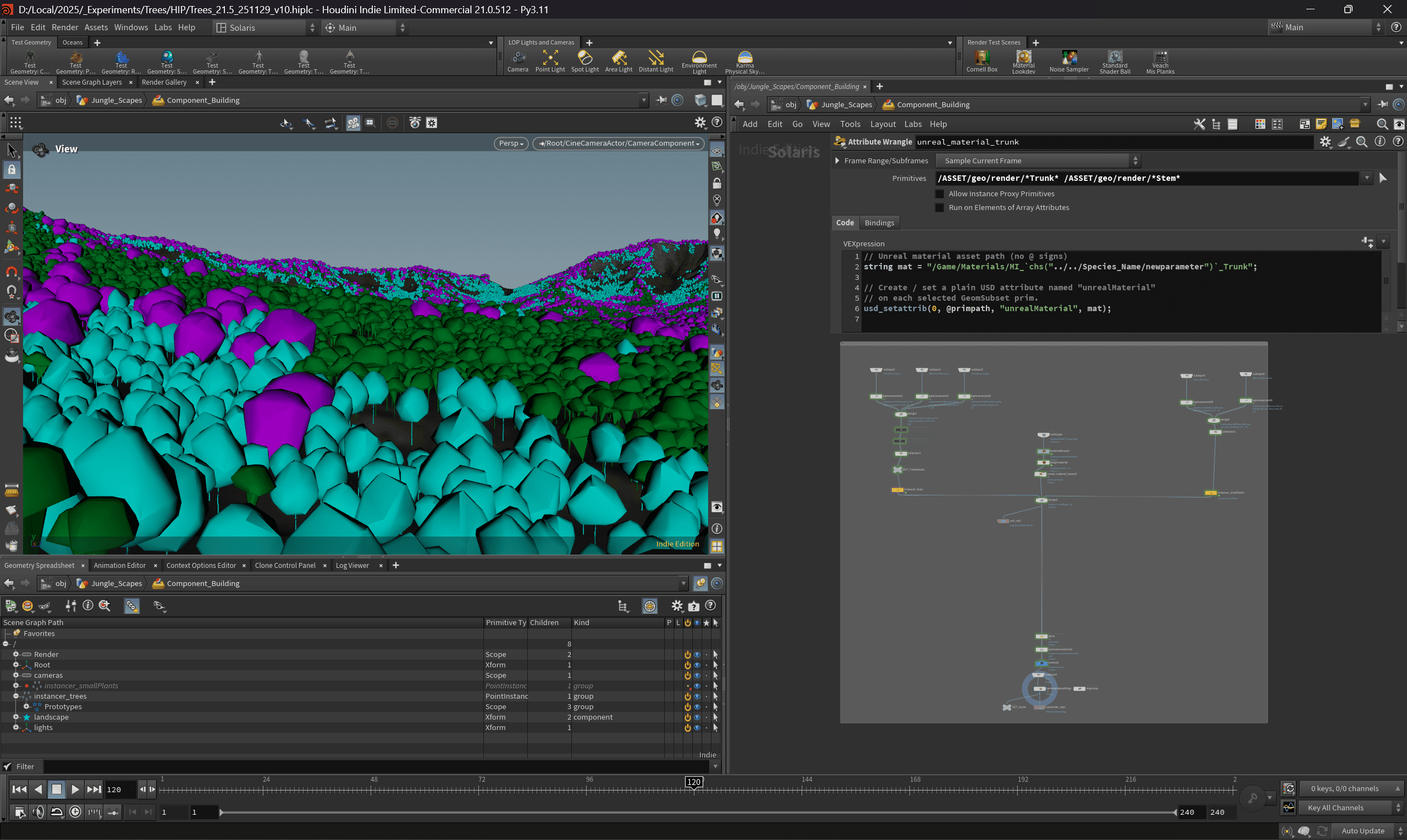
I used Houdini Labs Biome Plant Scatter with 3 tree species, 2 bush species, & around 25 total variants.
All of this was instanced in Houdini in Solaris, saved to disk as USD, and 1 click imported to Unreal
Unreal Materials were auto assigned on import thanks to the "UnrealMaterial" USD attribute (very handy and under used IMO)
Slap a camera & sky atmosphere into the level, send to MovieRenderQueue
End result is visually impressive, but still suffers from some "snapping" of the trees which seems to either be an issue with the progression from voxels to geo or some lumen based shadow thing. Either way, this is only noticeable in a shot like this where we are traversing quickly
The beauty of this system is that you have the freedom to scatter in Houdini, animate in Unreal, render in your choice of Lumen, PathTracer, or Karma in Houdini.
Step by Step
In Houdini
SOPs: Convert some trees to full geometry (no alpha/transparency leaves here!) Create Proxy Geo, too.
LOPs: Publish each tree/foliage to a USD with the component builder
SOPs: Use Labs Biome Plant Scatter on some Gaea-created Heightfield. Make sure to wrangle necessary attributes for species variants.
LOPs: Use the Solaris Instancer to scatter your published USD trees
LOPs: ROP USD Export to disk (Default Settings should reference the trees making this file lightweight)
In Unreal 5.7
Enable Nanite Foliage in Project Settings
With the USD Stage Window, open the scene USD file
The USD cache / Unreal-created meshes in the content browser will need the Shape Preservation method set to Voxelize
Sadly this can't be scripted/applied via USD attributes yet, but the saving grace is this only needs to be done once (and can be batched). Future USD imports with the same trees will automatically use what Unreal has cached in the content browserr
Add a camera and render!
Some important CVARS:
r.RayTracing.Culling.Radius 100000— For this wide aerial shot, this extends the ray traced shadows out quite a waysr.Nanite.ViewMeshLODBias.Offset .5— This pushes the nanite voxel scale to half a pixel, helping with render fidelityFor PathTracing:
r.RayTracing.Nanite.Mode 1— A classic CVAR required for PT to work with nanite geo
Extras
After animating the camera, I exported that to USD and brought back into Houdini. I then used the camera's frustum (over the course of the full shot) to clip the original biome scatter points. Version up the USD, reimport (it goes much quicker after it's already been done), and voila you have a shot-optimized scatter.
I painted a simple scatter below the trees based on the shot-cam so that I could heavily instance some ground-level jungle foliage. in an area only seen directly below the camera there are over 500k instances, and I didn't need those further in the distance. I know this was a stress test but I didn't want to blow my computer up. Granted I have seen examples of trillions of instances running just fine in Unreal!
I've also rendered out a PathTracer version for comparison
With Help From:
11/29/25